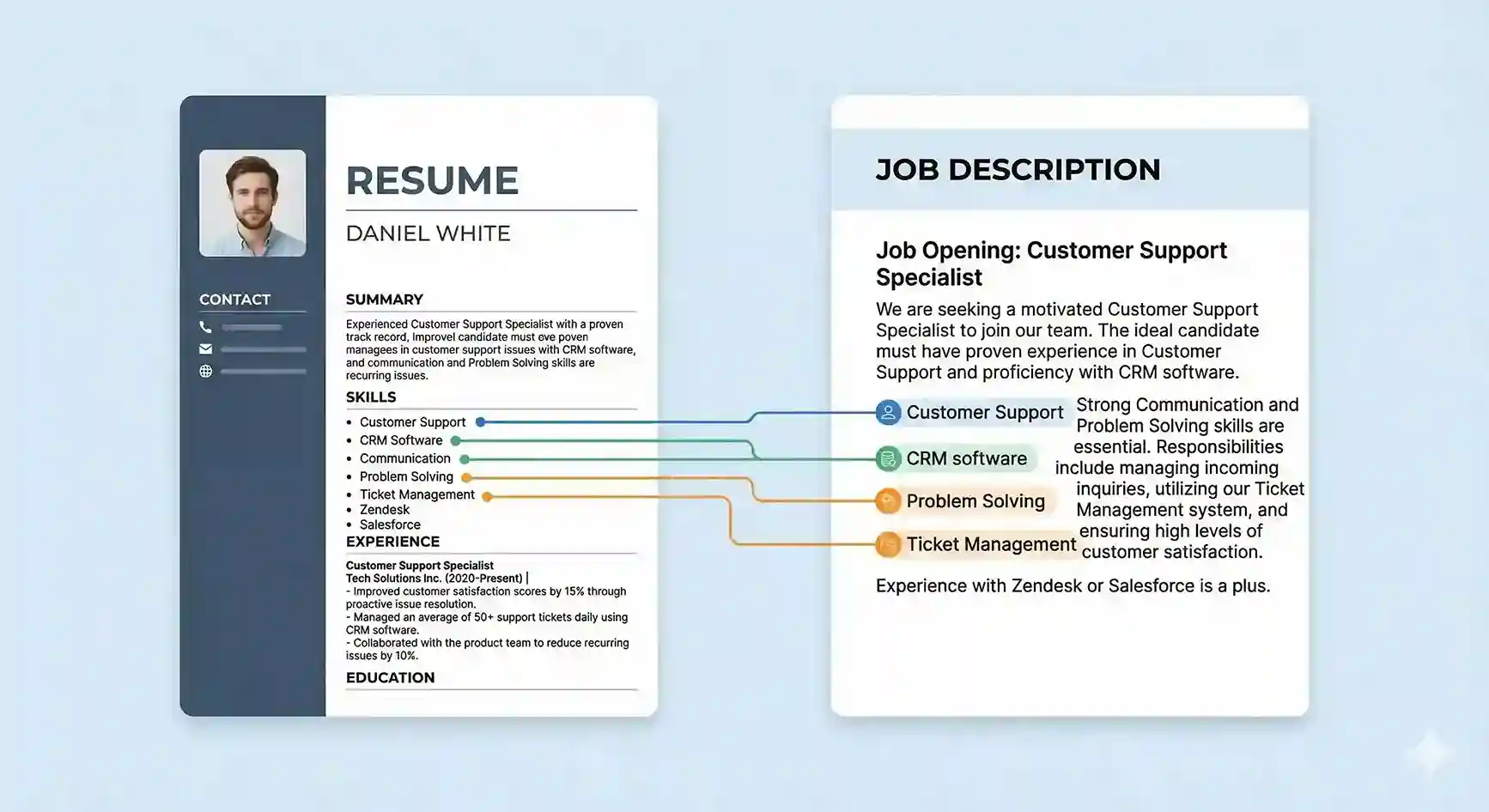
You don’t need a completely different resume for every single job, but you do need a targeted one. Customising your resume makes it easier for both ATS and recruiters to see you as a strong match for a specific role.
Step 1: Scan the Job Description for Keywords
Start by reading the job description carefully and identifying patterns in skills, tools, and responsibilities.
- Highlight key skills mentioned 2–3 times (hard skills and tools).
- Note important responsibilities or outcomes (for example, ‘increase leads’, ‘manage team’, ‘reduce costs’).
- Identify the seniority level and domain (entry-level, mid-level, SaaS, e-commerce, etc.).
Step 2: Adjust Your Headline and Summary
Your headline and summary should mirror the role you’re applying for without copying the job description word-for-word.
Example Headline
“Digital Marketing Specialist | Performance Campaigns, SEO & Lead Generation” instead of just “Marketing Executive”.
Step 3: Reorder and Tweak Your Experience Bullets
Without changing your core story, bring the most relevant bullets to the top under each role.
- Move achievements that match the job description to the first 2 bullet points.
- Replace generic verbs with domain-specific ones (e.g., ‘Optimised campaigns’, ‘Redesigned workflow’).
- Add keywords naturally where they are truly relevant.
Step 4: Align Skills and Tools
Update your skills section to reflect what this specific role is asking for.
- Remove skills that are not relevant to this role to avoid looking unfocused.
- Add 3–7 core skills that appear in the posting (only if you actually have them).
- Use terminology similar to the job description so ATS can match it.
Step 5: Quick Final Check
- Does your summary clearly match the role title?
- Do your top bullets reflect the main responsibilities?
- Do your skills and tools overlap strongly with the job description?